 Afterhue
How to edit a sunset photo on iPhone
To edit a sunset photo on iPhone, open it in Photos, tap Edit, lower Highlights, raise Shadows, add a little Contrast and Vibrance, then nudge Warmth. Make small moves and compare with the original. Most sunsets need less editing than you think, and a heavy hand makes the sky look fake.
Coming soon to iPhone
Where do I find the editing tools?
Open the photo in the Photos app, tap Edit, and swipe through the adjustment dials under the picture: Exposure, Brilliance, Highlights, Shadows, Contrast, Brightness, Black Point, Saturation, Vibrance and Warmth. Tap any of them and drag the slider. The iPhone User Guide from Apple lists the editing tools for your iOS version.
Editing in Photos is non-destructive. You can tap Revert at any time and get the original back.
What order should I edit in?
Work from big changes to small ones. Light first, color second, finish last.
- Straighten the horizon with the crop tool.
- Lower Highlights to bring detail back into the bright sky near the sun.
- Raise Shadows to open up a dark foreground a little.
- Add Contrast in small steps so clouds get shape.
- Raise Vibrance before Saturation. Vibrance protects colors that are already strong.
- Adjust Warmth last, and only if the photo looks colder than you remember.
Which sliders do the most for a flat sky?
A flat sky usually has a brightness problem, not a color problem. The phone has blown the highlights, so the color is gone from the pixels. Lowering Highlights and Exposure recovers some of it. Pulling Black Point up a notch deepens the dark end and makes the colors look richer.
If the photo was shot with exposure locked down at the scene, as described in our guide to photographing a sunset with an iPhone, you will have much more to work with.
What do the main sliders do to a sunset?
| Slider | Good move for a sunset | Watch out for |
|---|---|---|
| Highlights | Down, to bring back cloud detail | Gray, muddy clouds if pushed too far |
| Shadows | Up a little, to see the foreground | Noise in dark areas |
| Contrast | Slightly up | Crushed blacks |
| Vibrance | Up 10 to 30 | Orange skin tones if people are in the frame |
| Saturation | Small nudge or none | Neon skies that look edited |
| Warmth | Tiny moves either way | Yellow cast on everything |
When should I use a filter?
Filters apply a preset look across several sliders at once. They are quick, but they change colors in ways you cannot easily read. If you want a warmer mood, try a filter at about half strength by using the intensity dial, then fix any damage with Highlights and Shadows. For documentation or a log of real evenings, skip filters and keep the colors honest.
How do I keep the colors believable?
Compare with the original often. Tap and hold the photo while editing to flip to the unedited version. If the sky now looks more intense than you remember, back off. A good test is whether a friend who stood next to you would say yes, that is what it looked like.
- Stop when the clouds still have texture.
- Check skin and ground, which show over-warming first.
- Leave the sun disc a little bright. Pure white there is normal.
- View the edit on a dim screen as well, because brightness hides mistakes.
Can I fix a sunset that is too dark?
Partly. Raise Exposure and Shadows, then pull Highlights down so the sky does not clip. Dark photos carry noise, so avoid pushing Brightness far. If the shot was taken after the sun was down, a gentle edit usually looks better than a rescue. Next time use the tap-and-slide method before pressing the shutter.
What about a photo of an old sunset I want to keep?
Edit it, then keep both versions. In Afterhue you can add old sunset photos to the app with Add past sunsets, up to 30 at a time, and each one becomes a Hue Chip with five colors read from the pixels. Chips read the photo you give them, so an edited image gives edited colors. If you want the real color of the evening in your log, import the original.
How do I get a warm or moody look?
For a warm look, nudge Warmth up a little and pull Highlights down so the glow does not burn out. For a moodier look, lower Brightness and Exposure slightly, raise Contrast and keep Saturation where it is. The dark end of the picture does most of the work in a moody edit, so look at the foreground, not just the sky.
Try both versions side by side. Duplicate the photo first, edit the copy, then pick the one that feels closer to the evening you remember.
What do I do with the sun itself?
The sun disc will be blown out in most pictures, and that is fine. The problem is the halo of overexposed sky around it. Lower Highlights, and if you still see a white blotch, use Exposure to bring the whole frame down a notch. If the sun is partly behind a cloud, you have a better chance of keeping the shape of the cloud edge and a bright rim.
Can I copy edits to other photos?
Yes, on iOS versions that support it. Edit one photo, tap the three-dot menu, choose Copy Edits, then open the others and choose Paste Edits. This is handy for a burst of frames from the same minute, since the light is nearly identical. It works poorly across photos taken at different times of the evening, because the exposure changes quickly as the sun drops.
How much editing is too much?
The sky is the one place where nobody can check your work, which makes it easy to overdo. A good habit is to edit for two minutes, then close the app. Look again the next day. If it still looks natural, share it. The Sky Strip of your year looks best when each stripe is a color you actually saw.
Frequently asked questions
What is the best edit for a sunset photo on iPhone?
Lower Highlights, raise Shadows, add a little Contrast and Vibrance, and adjust Warmth last. Compare with the original after each step.
Why do sunset photos look less vivid than real life?
Cameras compress a huge range of brightness into a small one, and the sky often clips. Lowering exposure when you shoot and Highlights when you edit brings color back.
Should I use Vibrance or Saturation?
Start with Vibrance, which boosts muted colors more than strong ones. Use Saturation sparingly, since it can turn a sky neon.
Can I undo my edits later?
Yes. Edits in Photos are non-destructive, and tapping Revert restores the original.
Does Afterhue edit my photos?
No. It reads five colors from a photo to make a Hue Chip and does not change the picture itself.
Keep exploring
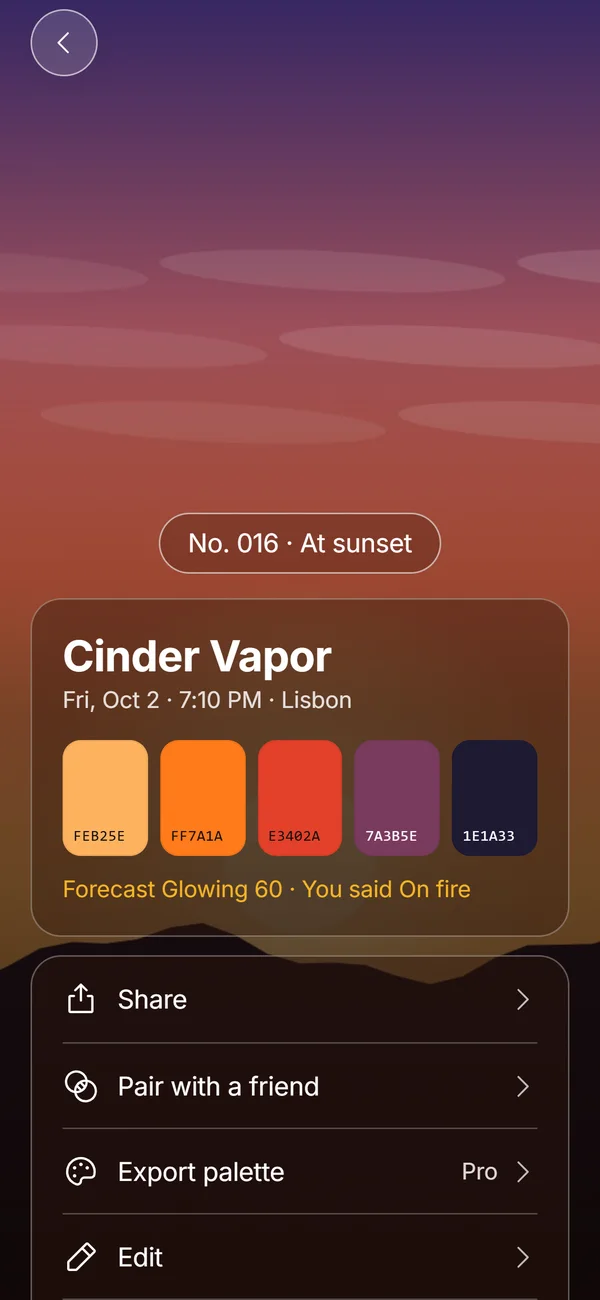 Hue ChipsFive colors, a name, a number and your rating from one sunset photo, made on the device.Sunset Colors in OrderThe colors of a sunset from the horizon up and from the first gold light to blue hour.Sky StripA year of sunsets as 365 stripes, a month grid and a streak that forgives cloudy weeks.