 Afterhue
How to photograph a sunset with your iPhone
To photograph a sunset with an iPhone, arrive 30 minutes early, tap the brightest part of the sky to set focus, then slide the exposure down until the colors look deeper than they do on screen. Hold the lock, keep the phone steady, and keep shooting for 20 minutes after the sun is gone.
Coming soon to iPhone
What is the quickest way to get a good sunset photo?
Open the Camera app, tap the sky where the color is strongest, and drag the little sun icon that appears down until the sky looks a notch darker than real life. That single move fixes the most common problem, which is a washed-out sky. The camera meters for the whole frame, and a bright sunset fools it into brightening everything.
Apple documents the basic camera controls in the iPhone User Guide. The menus differ a little between models and iOS versions, so treat the steps below as the pattern and your own screen as the final word.
When should I start shooting?
Start 30 minutes before the listed sunset. The warm, low light of golden hour gives soft shadows, and you want time to find a frame before the color arrives. Then stay. The strongest color often comes after the sun has dropped below the horizon, when clouds catch light from underneath.
A reminder helps because sunset moves a minute or two every day. The golden-hour reminder in Afterhue can fire 30 or 15 minutes ahead and repeats on the days you choose.
How do I set focus and exposure?
The same few taps work on nearly every recent iPhone.
- Frame the scene and tap the part of the sky you care about most, usually the brightest cloud or the glow near the horizon.
- Slide the sun icon beside the yellow box down a little. Stop when the highlights stop looking white.
- Press and hold the box until AE/AF Lock appears, so the phone keeps those settings while the light changes.
- Take the shot, then check it and adjust the slider in small steps.
Which settings matter most?
Few do. Turn the grid on in Settings, then Camera, so you can put the horizon on a third line and keep it level. Leave HDR to the phone. On modern models Night mode switches on by itself in dim light, and you will see a moon icon with a number of seconds. In that case prop the phone on a wall or a railing and let it finish the exposure.
Skip digital zoom. If your phone has a second lens, use it for a tighter crop of the sun and clouds, and otherwise step closer or crop afterward.
How should I compose the frame?
Give the sky two thirds of the picture when the clouds are the story, and one third when the ground is. Add something in the foreground: a tree line, a pier, a rooftop, a person. A sky alone is pretty for a second, and a sky with a place in it is a photograph.
- Keep the horizon straight, and put it on a grid line rather than in the middle.
- Look behind you. The east sky often turns pink while you stare west.
- Shoot both wide and tight, because the pictures end up as different moods.
- Include a dark shape if you want the color to stand out against it.
What do I do when the sun is already gone?
Keep going. For about 20 to 30 minutes after sunset the sky can build a second, softer show. Wikipedia describes this as the afterglow, with purple light appearing a few degrees below the horizon (Wikipedia: Afterglow). Exposure matters more here because the scene is dim and the sky changes by the minute.
Hold still, brace your elbows against your body, and let Night mode do its work if it offers.
Which mistakes ruin sunset photos?
| Mistake | What happens | Fix |
|---|---|---|
| Tapping a dark foreground | The phone brightens everything and the sky turns white | Tap the sky, then lower the slider |
| Shooting straight into the sun | A white blob with lens flare | Wait until it touches a cloud or the horizon |
| Leaving after sunset | You miss the afterglow | Stay 20 minutes |
| Tilted horizon | The picture feels off | Use the grid |
How do I photograph people at sunset?
Decide first whether you want a lit face or a silhouette. For a lit face, turn the person toward the light, tap on their face, and lower the exposure slider a little so the sky keeps some color. Skin looks flattering in the low, warm light of the hour before sunset, and squinting is the price.
For a silhouette, tap the bright sky instead and drag the slider down until the person turns into a clean dark shape. Our guide to sunset silhouette photos on iPhone goes through that in detail.
Which lens should I use?
Use the lens that fits the story. The ultra-wide camera, if your iPhone has one, fits a big sky and a foreground in one frame. The main camera is the safest all-round choice and handles dim light better. A telephoto lens makes the sun look larger against the horizon, which suits a distant skyline. Cameras differ by model, so check what yours offers in the Camera app.
What is a quick sunset checklist?
Keep this list on a note and run through it as you walk out the door.
- Check tonight's forecast and the sunset time.
- Wipe the lens with a clean cloth. Fingerprints cause hazy streaks around the sun.
- Arrive 30 minutes early and pick a spot with a clear western view.
- Tap the sky, lower exposure, hold the lock.
- Stay until the glow has faded from the clouds.
How do I know a sunset is worth the trip?
A forecast saves you a wasted evening. The Glow Score rates tonight from 0 to 100 and lists up to three reasons, such as high clouds or clear air to the west. It is an estimate from a weather model, so trust your eyes when you get there. Our guide to what makes a good sunset explains what to look for.
What can I do with the photo afterward?
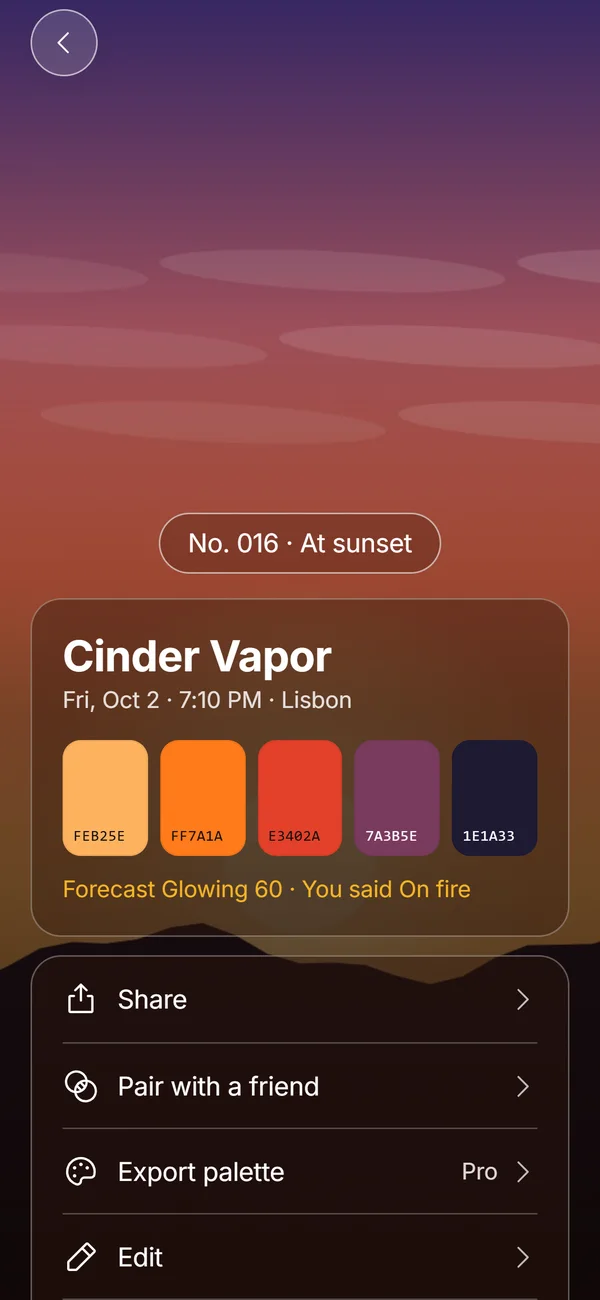
Afterhue turns a sunset photo into a numbered Hue Chip with five colors read on the phone. When you take or pick a photo, the app suggests tapping the sky and sliding the sun icon down before shooting, which is the same trick described above. The photo stays inside the app and nothing is uploaded.
Frequently asked questions
What are the best iPhone camera settings for sunsets?
Tap the sky, lower the exposure slider until the colors deepen, and hold to lock exposure and focus. Turn on the grid, keep HDR on automatic, and use Night mode when the phone offers it.
Why does my sunset photo look washed out?
The camera is metering for the whole frame and brightening the scene. Tap the bright sky and drag the exposure slider down to bring the color back.
How long before sunset should I start photographing?
About 30 minutes before. Golden hour gives soft light, and you will have time to choose a frame before the color peaks.
Should I use Night mode for sunsets?
Use it after the sun is down, when the scene gets dim and the phone offers it. Brace the phone, because the exposure can last a few seconds.
Can I photograph a sunset through a window?
You can, but reflections and glass tint hurt the color. Press the lens close to clean glass, or step outside for a better result.
Keep exploring
 Hue ChipsFive colors, a name, a number and your rating from one sunset photo, made on the device.Golden Hour Alerts and Reminders for SunsetsA free daily golden-hour reminder, plus Pro alerts only for evenings above your threshold.What Makes a Good Sunset? Clouds, Air and LightThe three ingredients of a colorful sunset, and the weather that ruins each one.