 Afterhue
How to take sunset silhouette photos on iPhone
To take a silhouette on iPhone, put your subject in front of the brightest part of the sky, tap the sky to meter for it, and slide the exposure down until the subject goes dark and the colors deepen. Keep the shape clear, with gaps between arms and body, and shoot a few frames.
Coming soon to iPhone
What is a silhouette photo?
A silhouette is a picture where the subject appears as a dark shape against a bright background. Wikipedia defines a silhouette as an image shown as a solid shape of a single color with edges matching the outline of the subject (Wikipedia: Silhouette), and photographers get the same look when the background is much brighter than the subject. Sunset is ideal, because the sky is the brightest thing in the frame.
The idea is simple. You expose for the sky and let the subject fall into shadow.
How do I set it up on an iPhone?
The iPhone Camera does most of the work if you tell it what to measure.
- Place the subject so the brightest part of the sky is directly behind them.
- Tap on that bright sky. The yellow box sets focus and exposure there.
- Slide the sun icon down until the subject is a solid dark shape and the sky has deep color.
- Press and hold on the sky to lock exposure and focus.
- Take several photos, adjusting the slider in small steps.
- If the subject moves, retake and check the edges.
When is the best time?
Between the last 20 minutes before sunset and 10 minutes after. The sun is low, the sky is bright near the horizon and the subject has a long shadow shape. After sunset the afterglow gives a softer, purple-and-rose backdrop, which suits calm, quiet scenes. The windows are described in our guide to golden hour and the piece on the purple afterglow.
What shapes work best?
| Subject | Why it works | Tip |
|---|---|---|
| A person standing | Clear human shape | Turn to profile so the face outline reads |
| Two people | Gap between them adds interest | Hold hands with arms away from the body |
| A dog | Distinct ears and tail | Get low and shoot upward |
| Trees and ridge lines | Natural layers | Keep the horizon straight |
| Pier, boats and cranes | Strong geometry | Wait for a clean overlap |
| Hats, bags and objects held up | Playful outline | Hold at arm's length from the body |
How do I pose people?
Give them one clear action. Walking toward the water, reaching toward the sun, tossing a hat or holding a camera. Stand them where their body does not overlap with trees or buildings, since overlap merges into one blob. Ask them to separate arms and legs from the torso. Profile views read better than front views, because a face on a silhouette is just a round shape.
Shoot from a low angle so the person rises into the sky instead of standing against the ground.
What if the silhouette is not dark enough?
Lower the exposure further, or move the subject so the sun is nearer the edge of the shape. If detail is still showing, edit afterward: in Photos, drop Shadows and Brightness, raise Black Point and add a little Contrast. The goal is a deep, clean shape with a rich sky behind it. The order of sliders is in how to edit a sunset photo on iPhone.
What about Portrait mode?
Portrait mode tries to light and blur the subject, which is the opposite of what you want for a silhouette. Use the regular Photo mode. If you want the subject sharp and the background clean, step back a few meters and use the main camera. Live Photo can help you choose the best moment from a short clip, particularly with moving subjects such as someone jumping.
How do I add color to a silhouette?
The sky does the coloring. Place the subject against the part of the sky with the most layers, such as an orange band under a purple cloud. Wait a minute or two for the sun to touch a cloud edge, and photograph again. A silhouette against a flat white sky is dull, but the same shape against a deep gradient is striking. The palette of the sky can be saved as a Hue Chip, and the guide to sunset colors in order describes the layers to look for.
What mistakes spoil silhouettes?
Four come up often. The first is tapping on the subject, which tells the phone to brighten the person and washes out the sky. The second is a cluttered background where the shape merges with trees, poles or buildings. The third is a subject standing too close to the camera, so the edges look soft and the sky is too small. The fourth is waiting too long, until the sky is so dim that Night mode kicks in and brightens the subject back up.
How do I shoot a silhouette of a landscape?
The same method works for a tree line, a hill or a skyline. Pick a point where the shapes stack at different distances, so you see layers of dark against a bright band. Mist helps by lightening the farther ridges. Expose for the sky, lower the slider, and keep the horizon level using the grid. A telephoto lens, if your iPhone has one, compresses the layers and makes distant hills look closer to the sun.
Can I keep the silhouette color in my sunset log?
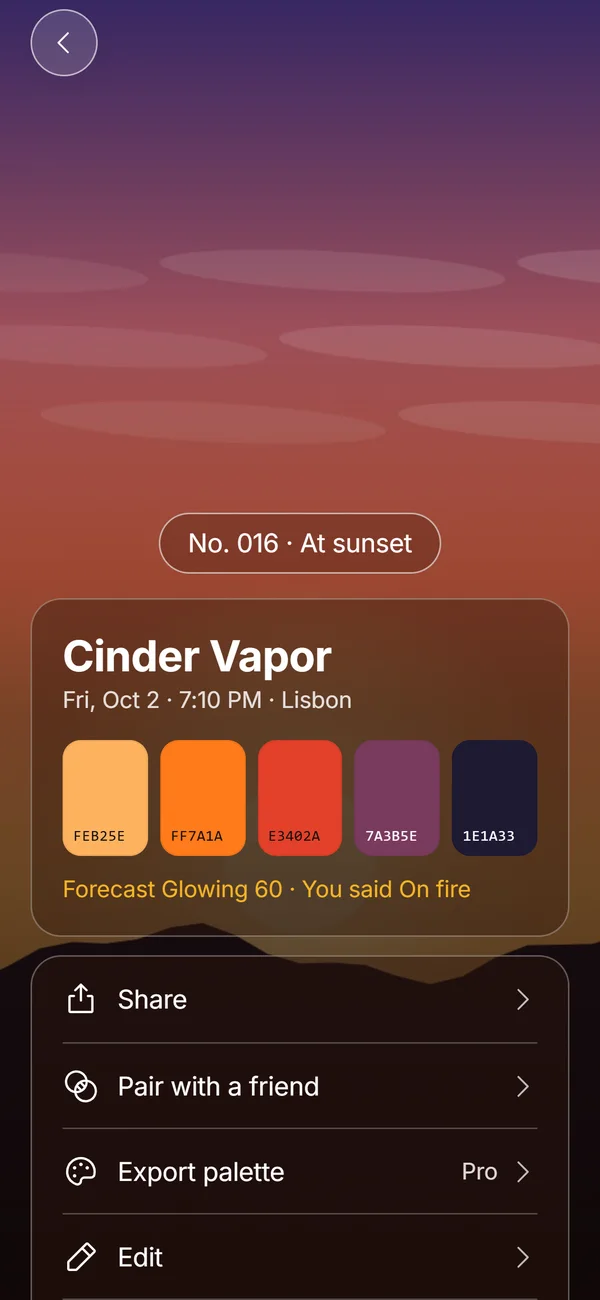
Yes. When Afterhue reads a photo it keeps the darkest color as one of the five if it covers enough of the frame, which is usually the horizon silhouette. The chip then shows both the sky and the shape. See Hue Chips for how the five colors are chosen.
Can the forecast tell me when to try one?
Silhouettes work on almost any evening with a clear western horizon, so you do not need a perfect sky. A Soft score with Clear to the west is often enough for a clean shape against a pale gradient, and a Glowing score adds drama. Check the Glow Score before you go, then let the sky decide on the day.
Frequently asked questions
How do I take a silhouette photo with my iPhone?
Tap the bright sky behind your subject, slide the exposure down until the subject is dark, and hold to lock it.
What time of day is best for silhouettes?
From about 20 minutes before sunset to 10 minutes after, when the sky is brighter than the subject.
Should I use Portrait mode for a silhouette?
No. Use regular Photo mode. Portrait mode lights and blurs the subject, which works against a silhouette.
Can I make a silhouette in editing?
Partly. Lower Shadows and Brightness, raise Black Point and add Contrast, but a good exposure at the scene gives better results.
How do I keep the colors of a silhouette sunset?
Make a Hue Chip in Afterhue, which reads five colors from the photo and keeps the dark silhouette as one of them if it covers enough of the frame.
Keep exploring
 Hue ChipsFive colors, a name, a number and your rating from one sunset photo, made on the device.What Is Golden Hour? Times, Light and Blue HourWhat golden hour is, why the light looks gold, how long it lasts and how it differs from blue hour.