 Afterhue
How to get sunset alerts on iPhone
You can get a sunset alert on iPhone three ways: a Shortcuts automation that triggers at sunset, a repeating golden-hour reminder in an app such as Afterhue, or an alert that fires only when the forecast looks good. A plain alarm drifts, because sunset moves every day.
Coming soon to iPhone
Why not just set an alarm?
A fixed alarm is the simplest tool, and it works for one evening. Sunset moves a minute or two every day, so an alarm that fits tonight is 20 to 40 minutes off after three weeks. In some months the change is faster, as explained in why the earliest sunset comes before the solstice. A good alert has to follow the sun, not the clock.
How do the options compare?
| Option | Follows the sun | Knows about weather | Setup |
|---|---|---|---|
| Fixed alarm or calendar event | No | No | One minute, but drifts |
| Shortcuts automation at sunset | Yes | No | Few minutes, on your own |
| Afterhue golden-hour reminder | Yes, 30 or 15 minutes before, or at golden hour | No | Once, then repeats |
| Afterhue Glow alert (Pro) | Yes, 2 hours, 1 hour or 45 minutes before | Yes, only above the band you set | Once per place |
How do I make a sunset automation in Shortcuts?
The Shortcuts app has a Time of Day trigger that can fire at sunrise or sunset, with an offset. Menus vary by iOS version, so follow your own screen.
- Open Shortcuts and tap the Automation tab.
- Create a new Personal Automation and choose Time of Day.
- Select Sunset, and set an offset such as 30 minutes before.
- Choose how often it runs, such as Daily.
- Add a Send Notification or Show Alert action with a short message.
- Turn off Ask Before Running if you want it to fire without a prompt.
How does the Afterhue reminder work?
You choose when to be told: at golden hour, 15 minutes before or 30 minutes before. You also choose the days: every day, weekdays, weekends or a custom set. Afterhue schedules local notifications on your iPhone from sun times it computes, so the reminder follows the sunset through the seasons. It is free, and you do not set it again each day. Details are on the golden-hour alerts page.
What does the notification say?
The reminder reads Golden hour in 15 min, with a line such as Light turns gold at 6:26 PM. Sunset 7:16 PM, using your own times. When it is set to fire at golden hour itself, the title becomes Golden hour is starting. Tapping it opens the Tonight screen, where the score and the reasons are one tap away.
What is a Glow alert?
A Glow alert fires only when tonight's score is at or above a minimum band you choose, and you pick how early it arrives. The text carries the city, the score and the top reason, such as Lisbon: 68, high clouds 40%. It is a Pro feature, and sunrise alerts work the same way. With Pro places you can turn alerts on for each saved place. The pricing page lists what is free and what is Pro.
Do the alerts need a connection?
The reminder does not. Notifications are scheduled locally from sun times computed on the phone, and Afterhue uses no push server. The text of a Glow alert uses the latest forecast the app has fetched, and iOS decides when background updates run, so opening Afterhue gives the freshest score. Alerts can therefore differ slightly from what you see after opening the app.
Why did I not get my alert?
Check these in order.
- Notifications are allowed for the app in iOS Settings.
- The reminder is switched on in Alerts and reminders, which shows the next scheduled alert.
- A Focus mode is not silencing it.
- For Glow alerts, the minimum band is not set higher than tonight's score.
- Low Power Mode or background limits are not delaying updates.
What does a Shortcuts automation not do?
It knows the time of sunset for your location, and that is all. It cannot tell you whether the sky will be colorful, so it fires on cloudy and clear evenings alike. It also depends on location services and on the automation being allowed to run, which can differ by iOS version and settings. For many people that is enough, since the point is to be reminded to step outside at all.
If you want the extra information about clouds and air, you need a forecast score. Our explainer on sunset quality forecasts covers what such a score can and cannot see.
How do I pick a place for the alert?
Reminders in Afterhue are planned for the place selected on the Tonight screen. Change the place and the next reminder follows it. During first-time setup the app asks Want a nudge at golden hour? and describes it as one quiet notification before the light turns gold, with the same three options that live in Settings. Choosing Not now skips it, and you can turn it on later in Settings, then Alerts and reminders.
Are there other notifications I can turn on?
Two optional ones. A How was it? prompt arrives 30 minutes after sunset so you can rate the sky, and a monthly card notice tells you when your month recap is ready. Both are off unless you turn them on. If notifications are off for the app in iOS settings, Afterhue shows a notice at the top of the alerts screen. Apple documents notification settings in the iPhone User Guide.
Can I get sunrise alerts?
Yes, with Pro. Sunrise alerts work like the Glow alerts for sunset: you choose the minimum band and how early they arrive. If you only want a time-based nudge for the morning, a Shortcuts automation with the Sunrise trigger does the same job on its own. A sunrise has its own character, as we describe in sunrise or sunset: which is better.
Which lead time should I choose?
Choose by how far you need to go. Thirty minutes suits a walk or a short drive. Fifteen minutes suits a spot close to where you are. At golden hour suits people who are already outside. Glow alerts at 2 hours, 1 hour or 45 minutes give time to decide whether an evening is worth rearranging. The reasoning is in how to find the best sunset spot too, since distance sets your lead time.
Frequently asked questions
How do I get a sunset notification on iPhone?
Use a Shortcuts Time of Day automation at sunset, or an app such as Afterhue that schedules a repeating golden-hour reminder.
Does the Afterhue reminder cost anything?
The golden-hour reminder is free. Glow alerts that fire only above a chosen band are part of Pro.
Can I get an alert only when the sunset will be good?
Yes. Pro Glow alerts fire only when tonight's score reaches the band you pick, 2 hours, 1 hour or 45 minutes before sunset.
Do sunset alerts work offline?
The golden-hour reminder does, since it uses local sun math. Glow alerts use the most recent forecast the phone has fetched.
Why does a fixed alarm fail?
Sunset shifts by a minute or two each day, so a fixed alarm drifts 20 to 40 minutes off in about three weeks.
Keep exploring
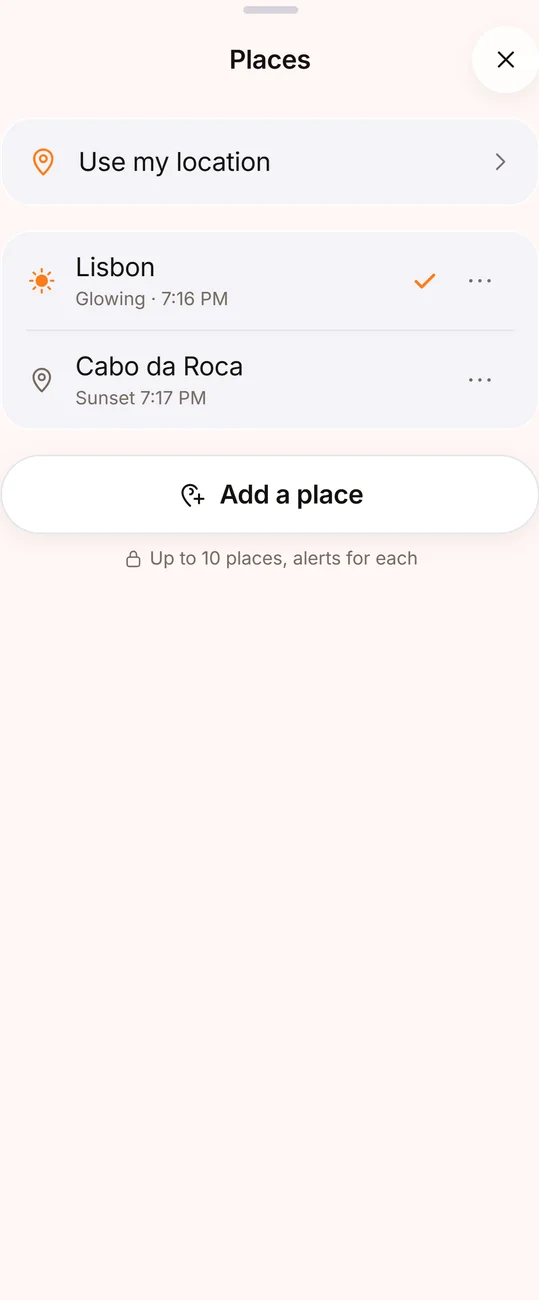 3-Day Sunset Outlook and Saved PlacesThree days of sunsets and sunrises as ranges, and up to 10 saved places with alerts.